Foster Place
From apartment details
to a useful inquiry.
A website redesign for one apartment community in Tewksbury, Massachusetts.
Explore the redesign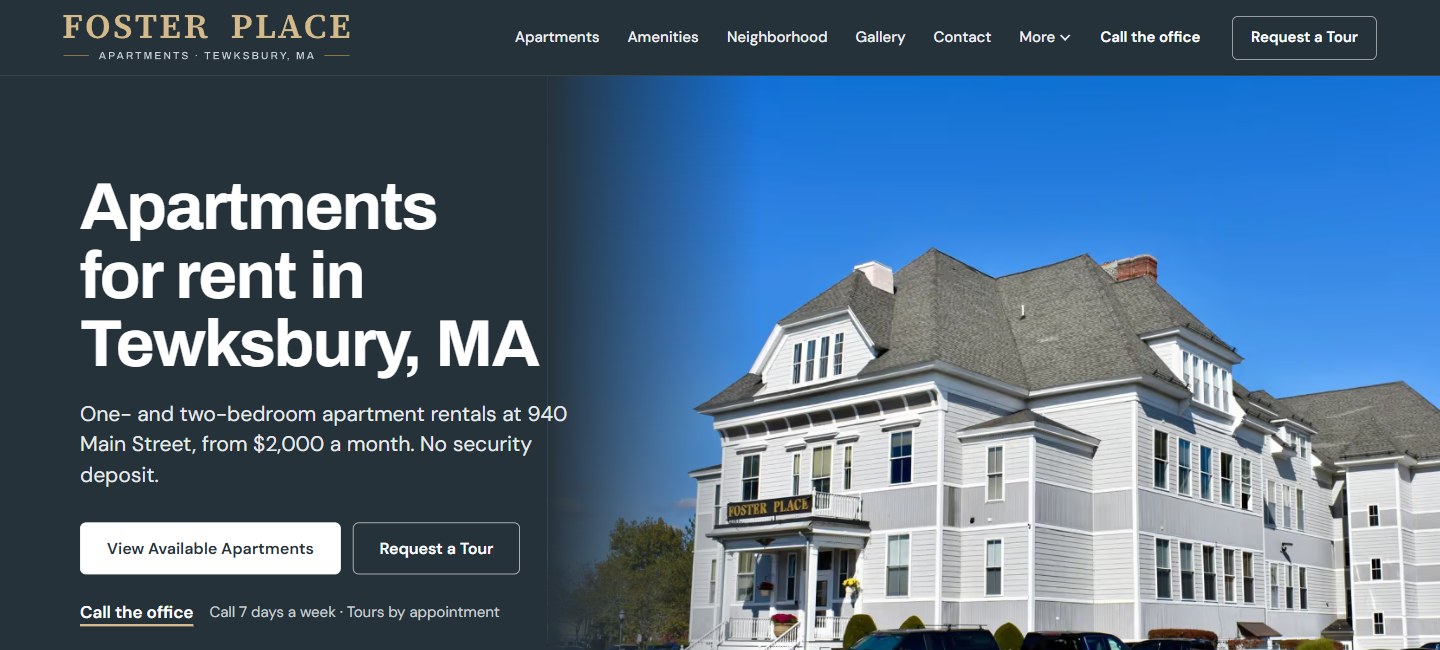
- Work
- Website redesign
- My role
- Research, content, design & development
- Focus
- Apartment information & inquiries
Start with what
a renter needs to know
The owner wanted greater online visibility. The earlier site already had property imagery, amenities, neighborhood information and testimonials. The opportunity was to make the apartment search easier to follow.
I began with market and competitor research and the owner’s priorities, then reorganized the content around practical questions: where is it, what can I rent, and how do I ask about it?
Before: a broad promise
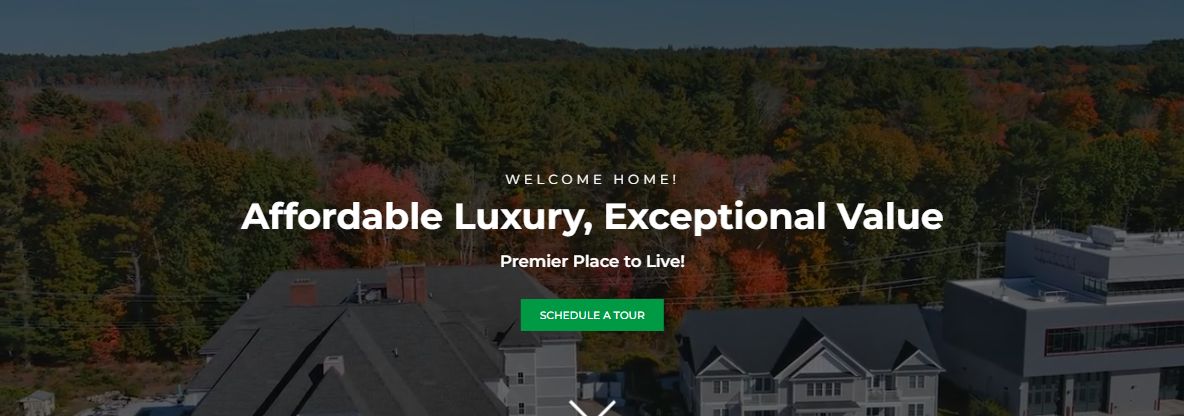
The opening led with “Affordable Luxury, Exceptional Value.” The location and apartment types appeared farther down the page.
After: the place and the next step
The new heading names the offering and location. Apartment information sits beside distinct choices to browse availability or request a tour.
Presentation captures from October 2026. Contact details are replaced with generic labels. Rental terms and availability shown are reference content, not current offers.
Give apartments
their own place
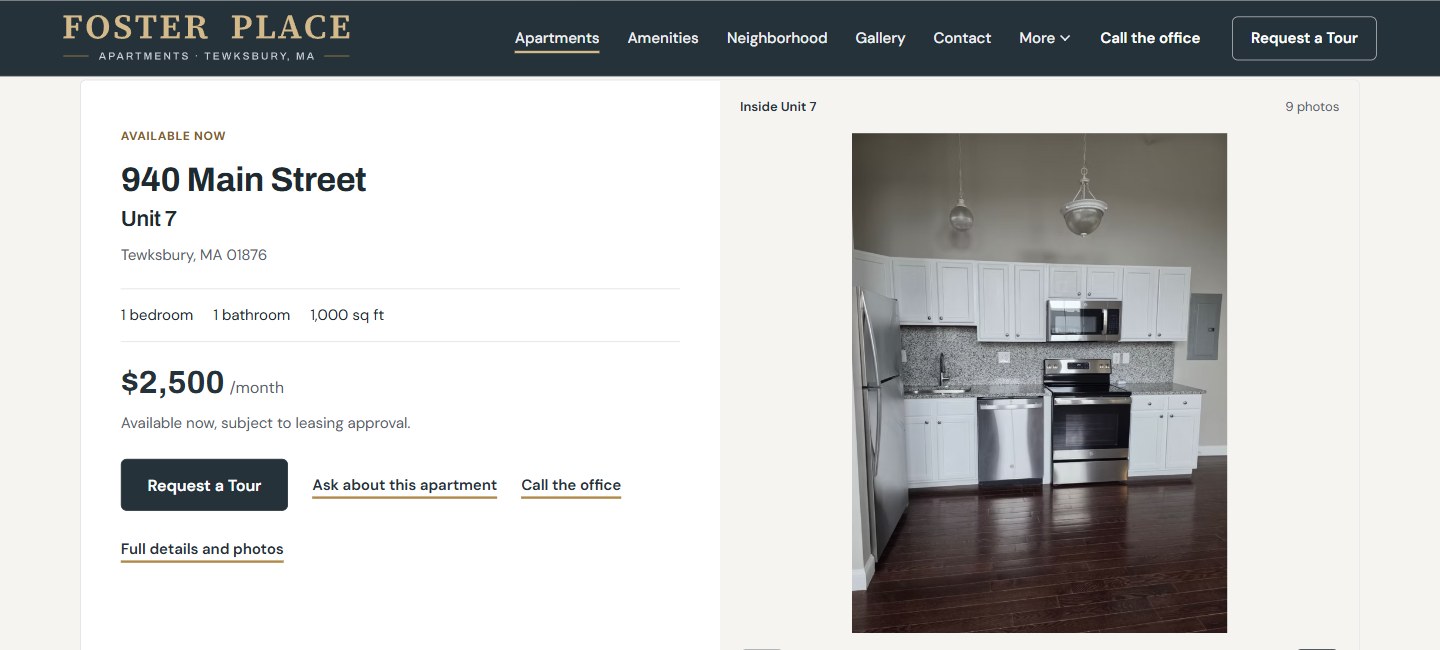
The earlier homepage’s apartment link led to Amenities. The redesign gives Apartments a dedicated page, with individual listings, photos and practical details together.
Visitors can explore a specific apartment, ask about a different size or join the waitlist. Each path names what happens next.
Show the place.
Give the photos context
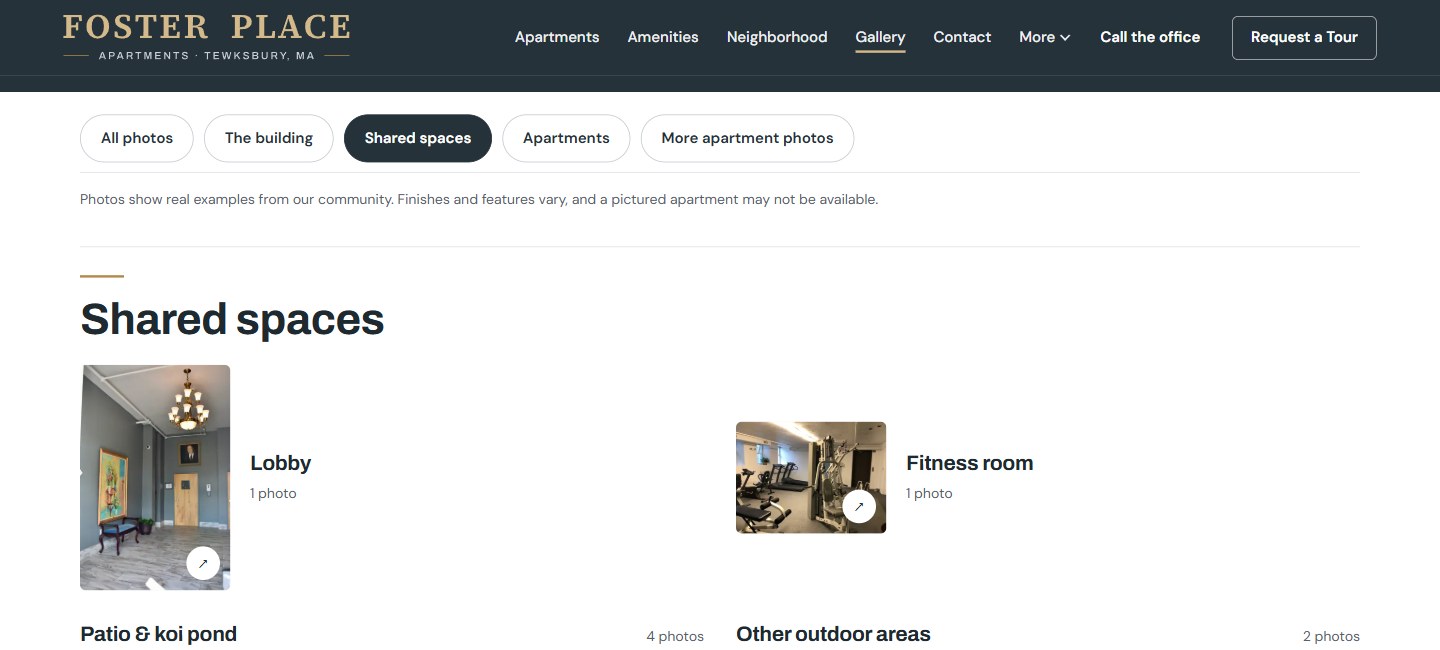
The community already had real imagery to work with. The redesigned gallery groups it into the building, shared spaces and apartments, so visitors can choose what to explore.
Named photo sets make the lobby and fitness room easy to identify. A visible note explains that apartment photos are examples; a pictured unit may not be available.
Carry the choice
into the conversation
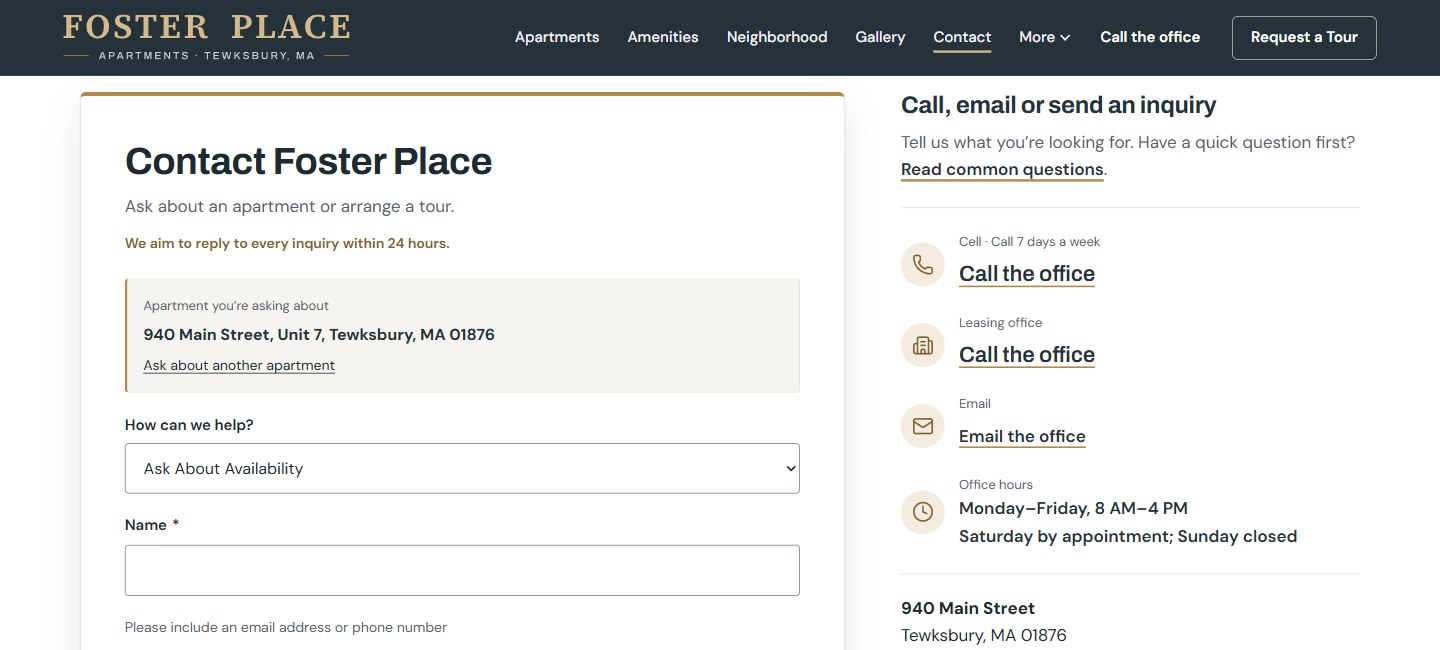
“Ask about this apartment” opens the inquiry form with the selected unit identified and the availability option selected.
That keeps the visitor’s choice in view. Requesting a tour, asking about availability and joining the waitlist each lead into the relevant contact path, with phone and email also available.